
WordPress Developer Courses
Assembling sites only takes you so far before a client asks for something no plugin does. A WordPress developer course hands you what clears that wall: PHP, hooks, custom themes and plugins. This is the paid-more, hired-faster end of the skill.
Courses in this collection
Start with the shortlist, then see how they differ side by side further down.
How they actually differ
What the list leaves out, from who each course is for to what sets it apart.
Creating WordPress Plugins The Right Way on Udemy | WordPress—A Complete Guide on Educative | Advanced WordPress Development Techniques on Coursera | |
|---|---|---|---|
| Best for | PHP developers who already write object-oriented code and MySQL queries and want to build their own WordPress plugins rather than learn the whole platform | Developers who want a broad hands-on range in one course, from turning a static HTML template into a theme through custom REST API routes and the block editor | Web developers comfortable with HTML and CSS who haven't used WordPress yet and want a quick, graded first look at WordPress development before choosing a direction, with a multi-course Specialization to continue into |
| Differentiator | Scoped entirely to plugin development at an expert level, taught as video build-alongs of complete plugins with custom tables, post types, and metaboxes | Text lessons with an in-browser code editor and no video, so each concept is practiced by writing code on the page | Foundational despite the "Advanced" title: a short video survey that samples themes, WPDB, AJAX, cron, and admin customization at intro depth |
| Price | $34.99 | Educative subscription | Coursera Plus subscription |
| Rating | 4.6 | 4.8 | — |
| Offered by | — | — |  Packt Packt |
| Prerequisites | Knowledge of basic MySQL, HTML, CSS, and object-oriented PHP | None | Knowledge of basic HTML and CSS |
| Includes | 14.5 hrs video100 lectures4 articles1 downloadable resourcemobile accessTV access | 84 lessons | 15 videos2 readings2 assignments |
| Certificate | Yes | Yes | Yes |
| Taught in | English | English | English, Kazakh (auto) |
| Subtitles | English | — | English |
| Access | Lifetime | Subscription | Subscription |
| Duration | 14 hours | 25 hours | 8 hours |
| Skill level | Advanced | Beginner | Intermediate |
The full view adds total enrolled, total reviews and when each course was last updated.
How to Compare WordPress Developer Courses
Every WordPress developer course on this page teaches you to write code for WordPress rather than click through its dashboard. Beyond that shared goal, the courses differ in how you learn, how much of the platform they cover, and how much PHP you need on day one. Knowing where you stand on each will narrow the list quickly.
Choosing a WordPress Development Course by Your PHP Level
Read the stated prerequisites before you trust a title or a difficulty tag, since the labels don't always match the material. A course called "advanced" can assume nothing beyond HTML and CSS, while an expert plugin course may warn you not to enroll without object-oriented PHP. If you're new to theme files, an introductory survey walks you through the template hierarchy and the Loop before you commit to a longer course. Developers who already write PHP classes and MySQL queries can skip ahead to a plugin build-along.
WordPress Theme Development or Plugin Development?
Most WordPress web development work falls into one of these two jobs, and most courses here lean one way. A WordPress theme course controls how a site looks and how it renders content. You'll convert static HTML into template files, set up page templates and widget areas, and write custom queries for custom post types. That path fits freelancers and agency developers who build sites for clients.
By contrast, a WordPress plugin course adds features that survive a theme change. Expect custom database tables through the $wpdb class, action and filter hooks, shortcodes, metaboxes, and translation support. Plugin work leans harder on object-oriented PHP, so plugin-focused courses tend to list stricter prerequisites.
Broader courses cover both, plus user roles and the block editor. If you want one WordPress website development course that spans a full build, pick a broad one and accept less depth in each area.
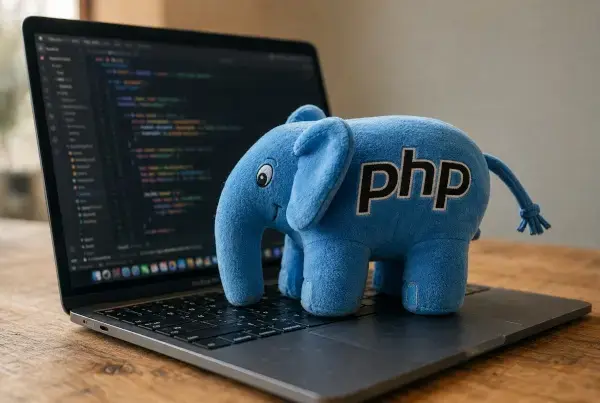
WordPress development runs on PHP
Building custom themes and plugins means writing PHP, so if that's shaky, sort it out first. New to WordPress in general? The beginner courses come before this.
 4 courses
 3 courses
 3 courses